When Design Stopped Explaining and Started Eliminating
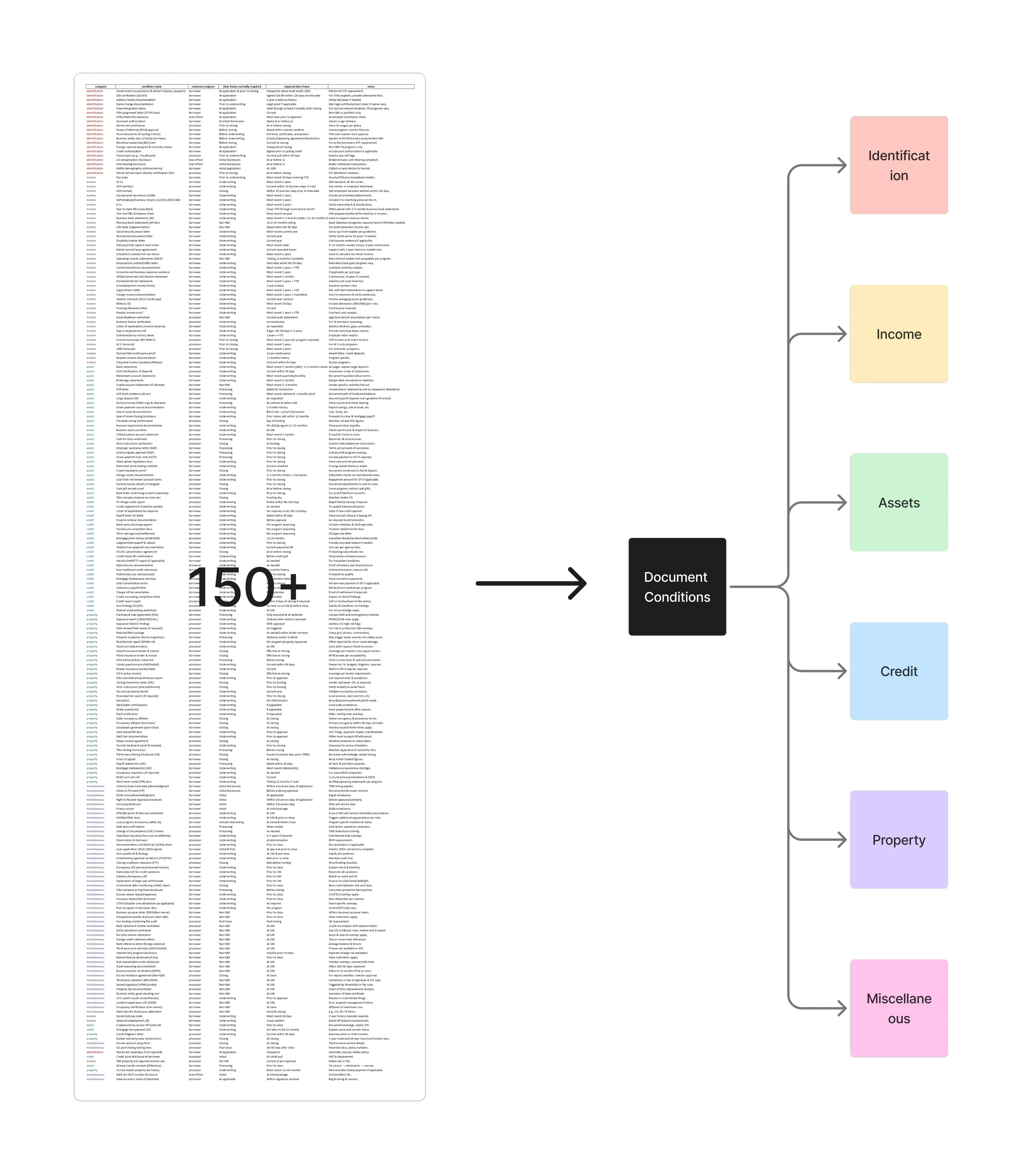
At first, I thought my role was to bring order to chaos. Facing 150+ document conditions, I carefully categorized them, mapped them, and made the problem “understandable.” On paper, it looked neat—but in practice, Loan Officers were still drowning. That was when I realized explanation had its limits: no matter how elegant the categories were, users didn’t want to manage complexity, they wanted it gone.
When the tech lead confirmed that AI could read applications and auto-generate conditions, everything shifted. I understood then that design wasn’t about explaining complexity more clearly—it was about eliminating it altogether. As Don Norman reminds us, good design makes complexity invisible. That realization has stayed with me: clarity is valuable, but the highest form of clarity is when users never see the complexity at all.
When Complexity Became My Responsibility
Handing Off Wasn’t Enough; Guiding Was My Real Task
Stakeholder Interviews · Domain Knowledge Transfer · Design Documentation
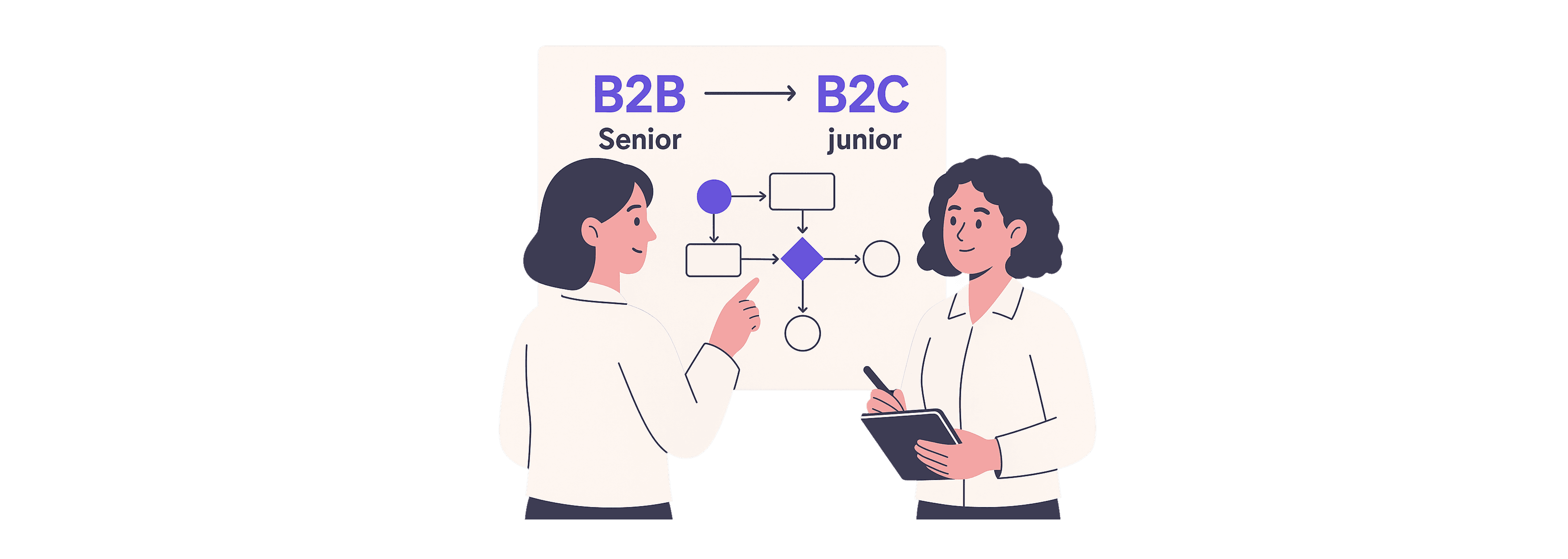
At kickoff, the project split naturally into two halves: the harder B2B flows and the lighter B2C ones. I was given the B2B side, not only because it was more complex, but because another designer had just joined. My job wasn’t just to “finish my part”—it was to make sure she understood the business well enough to carry on the B2C work. Every design choice I documented, every conversation I summarized, became part of her onboarding. In practice, designing B2B meant also designing the conditions for her success.
AI Wasn’t an Add-On; It Was the Obvious Next Step
Guideline Review · AI-Assisted Categorization · Information Architecture
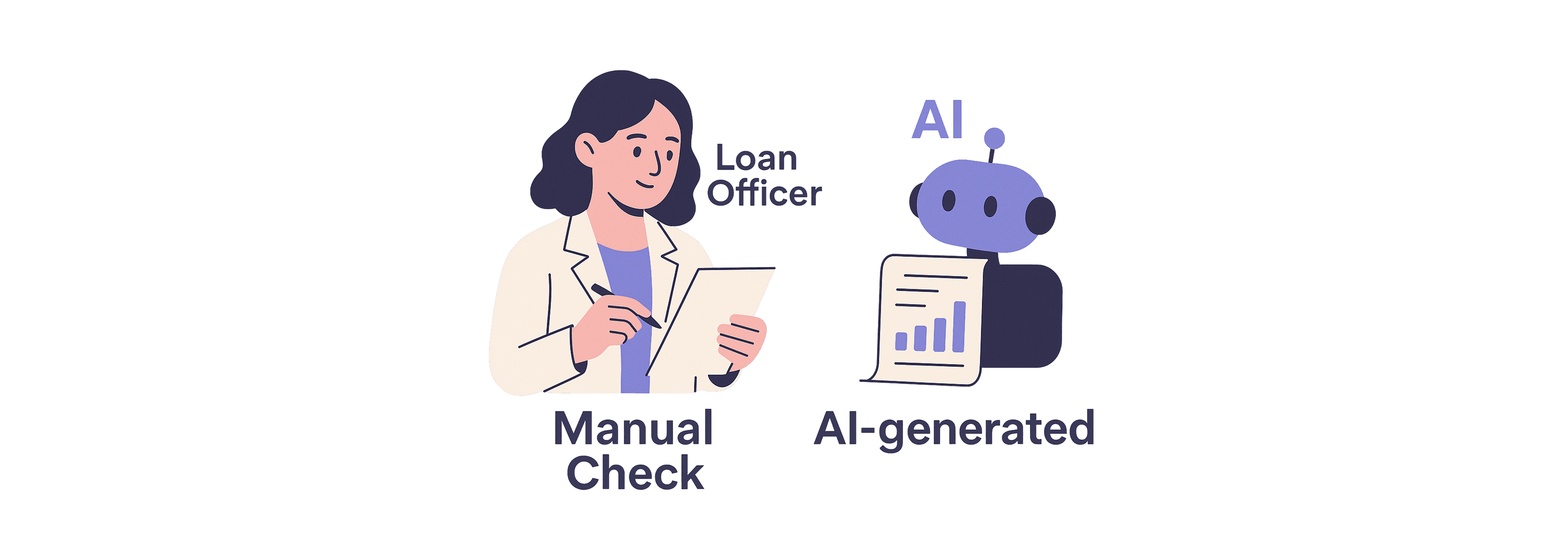
During interviews and classification, one thought kept returning: why should Loan Officers manually check every condition when AI could read the application itself? I floated the idea with the tech lead, half-expecting pushback. Instead, he nodded—it was possible. That confirmation changed how I framed the project. We weren’t just building a dashboard; we were designing the start of automation. For me, this was the moment the work stopped being about “organizing complexity” and became about “reducing it altogether.”
AI Wasn’t an Add-On; It Was the Obvious Next Step
Competitive Benchmarking · Tech Feasibility Check · Automation Exploration
During interviews and classification, one thought kept returning: why should Loan Officers manually check every condition when AI could read the application itself? I floated the idea with the tech lead, half-expecting pushback. Instead, he nodded—it was possible. That confirmation changed how I framed the project. We weren’t just building a dashboard; we were designing the start of automation. For me, this was the moment the work stopped being about “organizing complexity” and became about “reducing it altogether.”
Mapping a Journey Alone Made the Problem Tangible
User Interviews · Journey Mapping · Pain Point Analysis
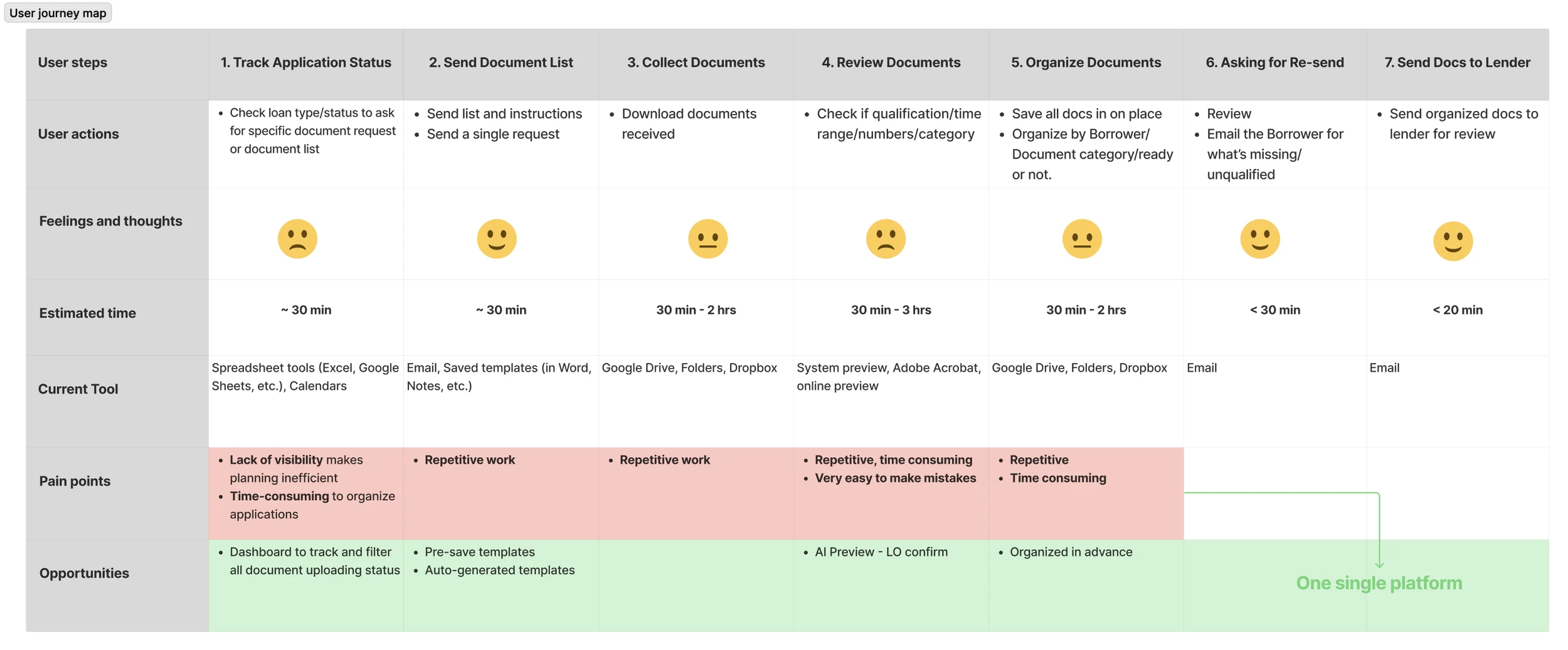
After gathering inputs, I sat down alone and mapped the full journey of a Loan Officer—from the first request to the last email. I estimated their time at each step, highlighted repeated errors, and wrote down pain points. The picture was messy, but it showed one truth: if we could bring all these steps onto one platform, we could cut errors and save hours of back-and-forth. That journey map became my compass. It told me not only what users did, but where design could give their time back.
From 40 Screens to 30 Minutes Saved
Old Components Looked Reliable, Until They Weren’t
Design System Audit · Responsive Redesign · Multi-Column Layout
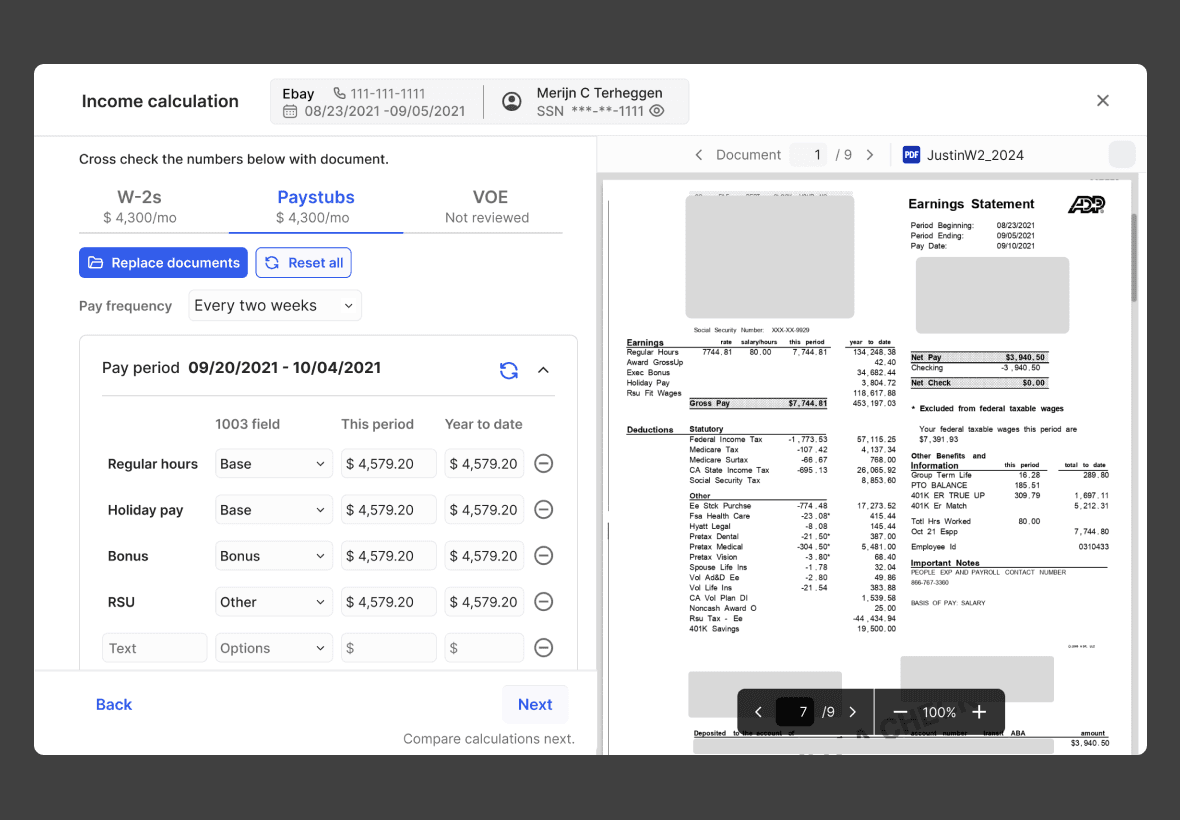
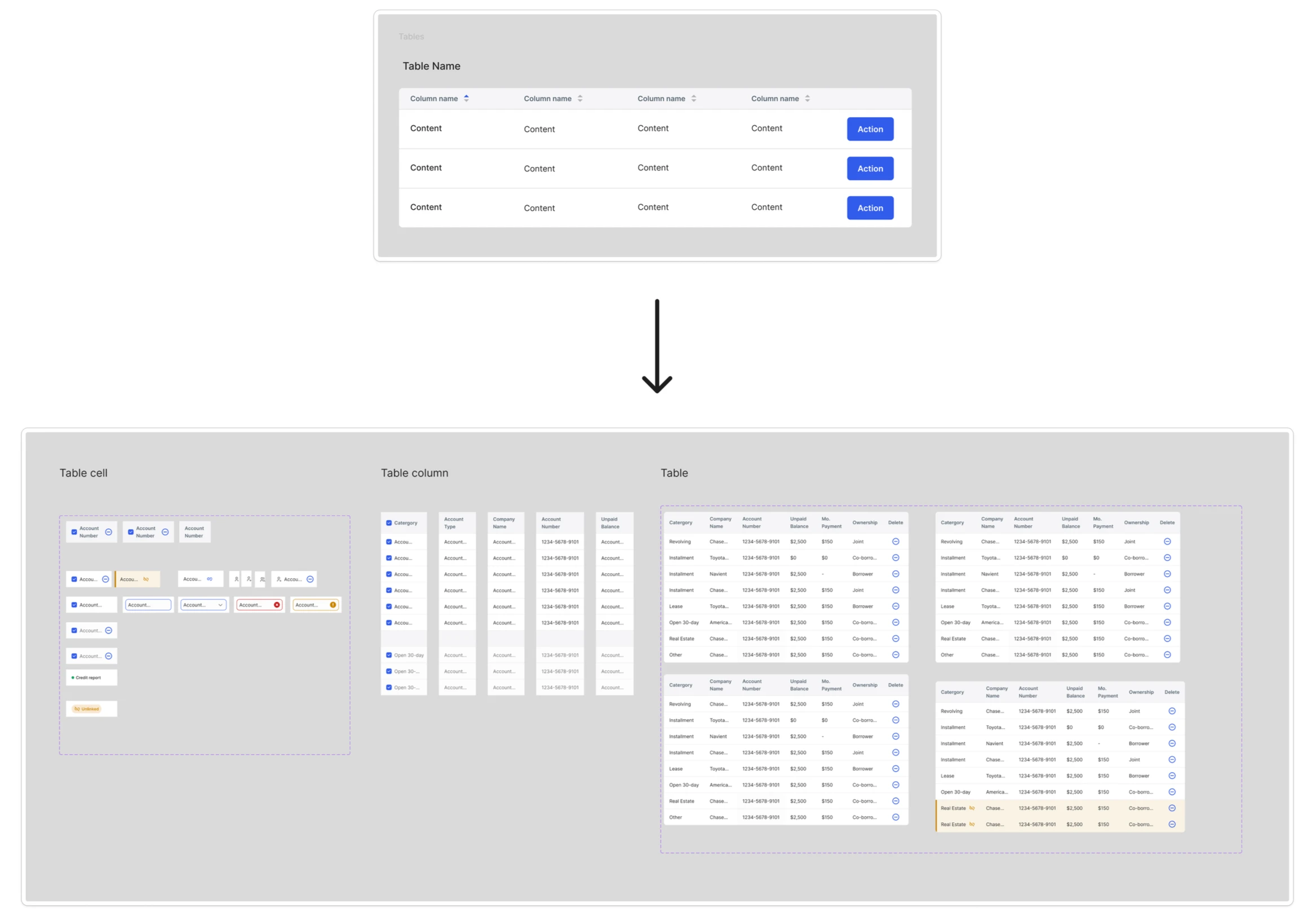
I expected to reuse our design system, but the old form elements broke under the new demands. They weren’t responsive, and they couldn’t handle multiple columns. So I rebuilt them. What looked like a routine UI task turned into a structural update of our system. Six flows came out of this round—Dashboard, Assign, Review, Upload, Edit Template, Reminder—and every screen carried traces of those rebuilt foundations.
40 Screens Later, Users Finally Saw the Difference
Prototyping · Edge Case Coverage · Usability Testing · User Feedback
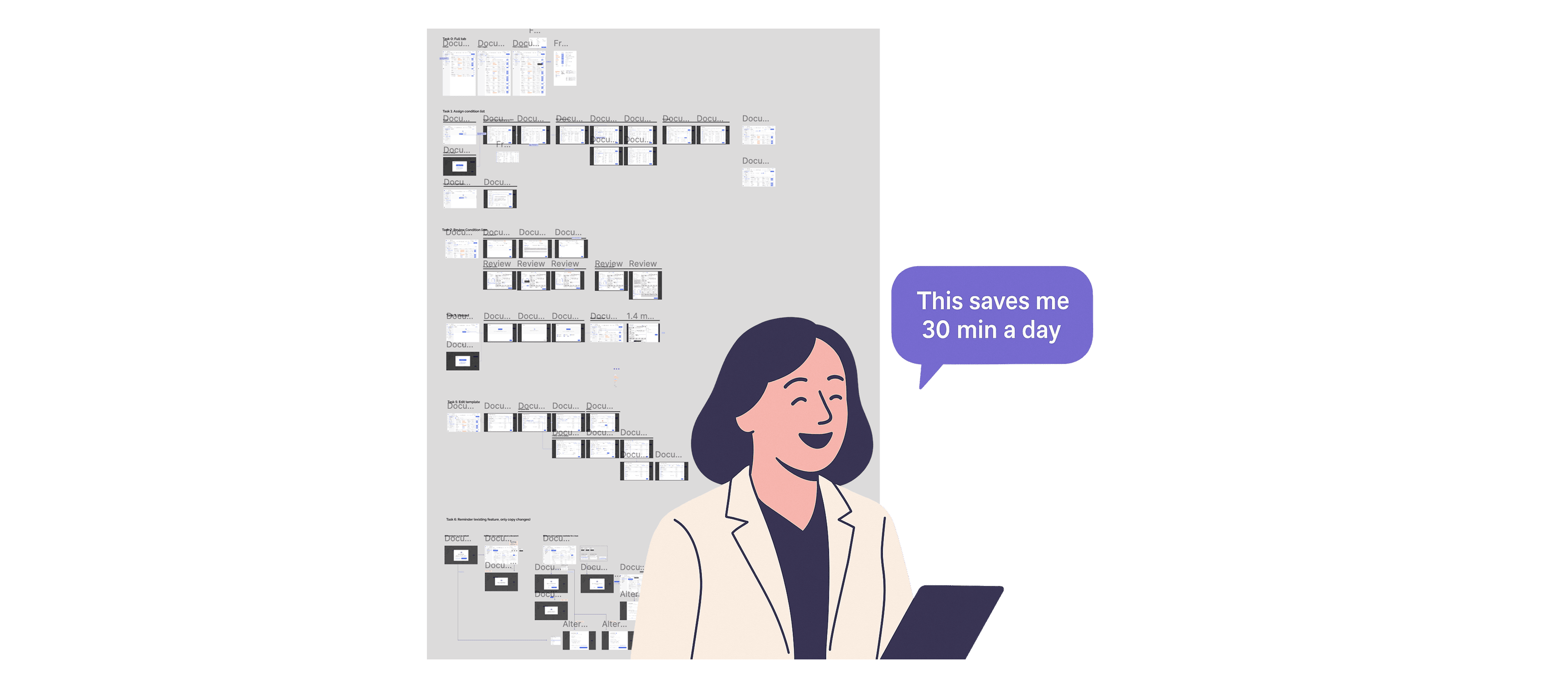
The prototype grew fast: 40+ screens covering edge cases. With PM, I iterated again and again until flows held up under every scenario. We showed it to a Loan Officer, and her reaction cut through all the debates: “This saves me at least 30 minutes a day.” For me, that was the design’s proof—it wasn’t about elegance on Figma, it was about time returned to users.
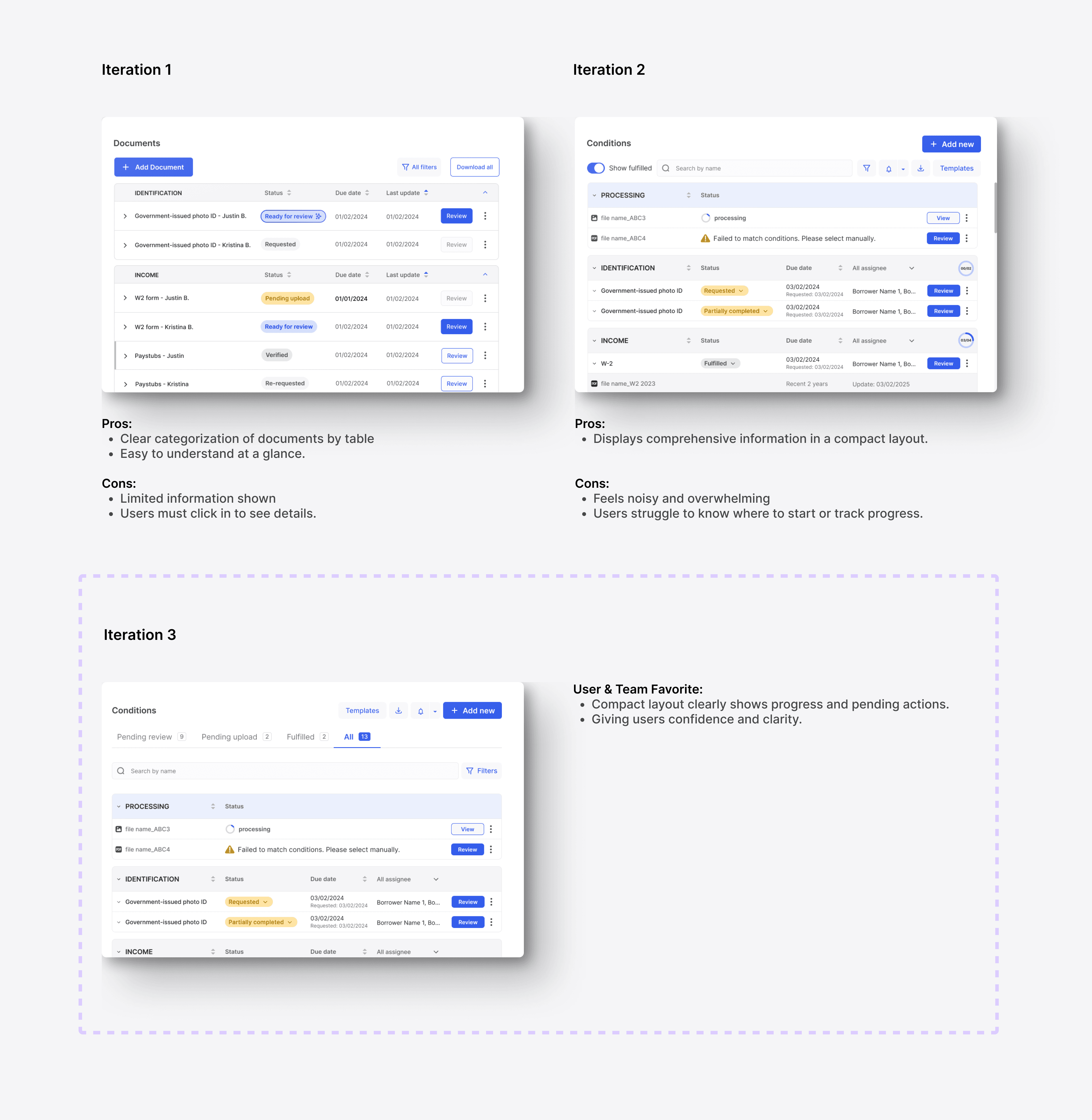
Suggestions That Turned Features Into Priorities
Feedback Analysis · Prioritization Framework · Principle Definition
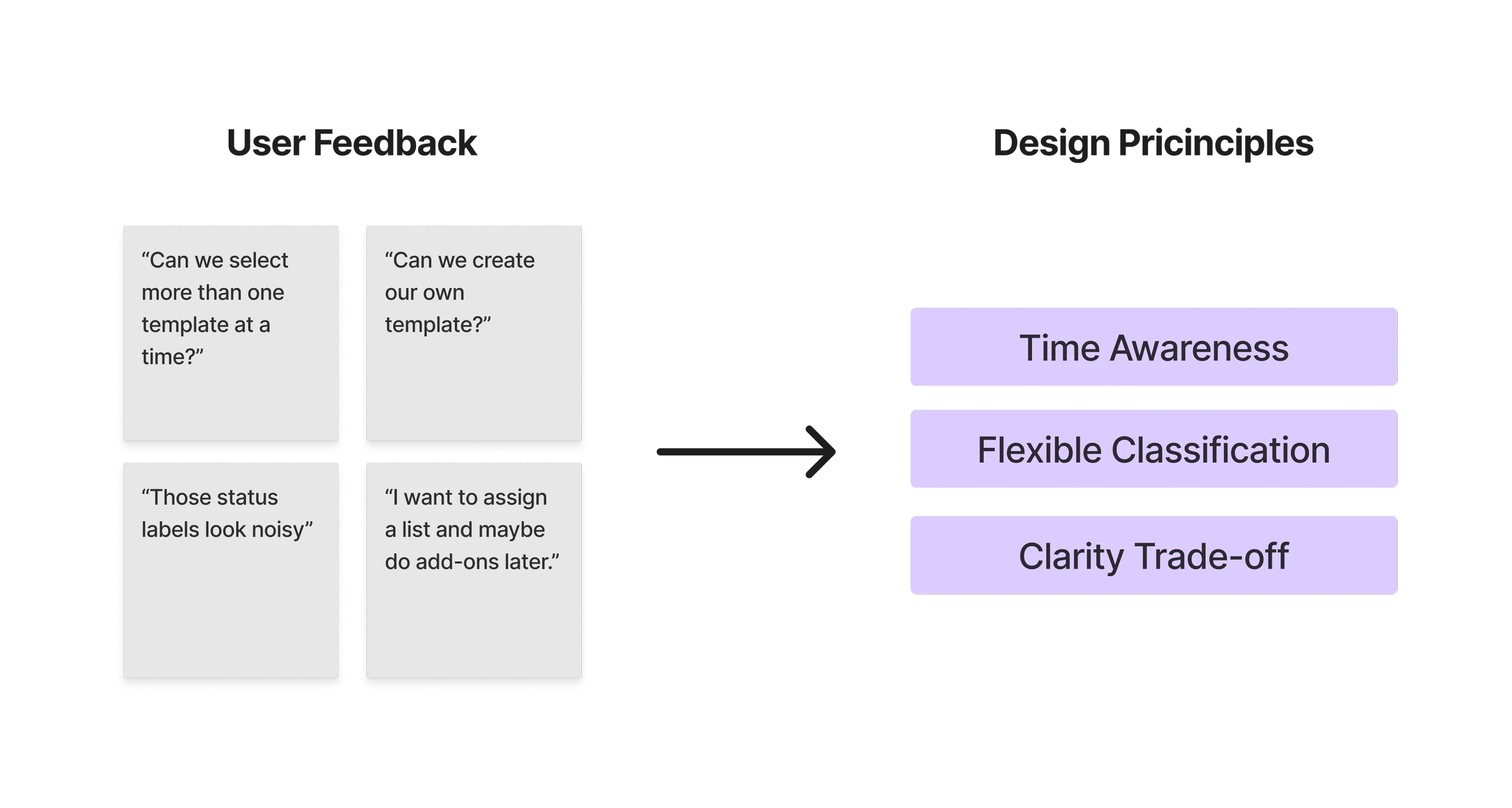
User feedback sharpened the design. One asked to see the initial request date right on the dashboard, not just the due date. Another wanted to assign multiple templates at once—because a borrower might be both a first-time buyer and a purchase case. And when many conditions were active, colorful status labels were helpful but noisy. These weren’t “nice-to-haves”; they became the priorities that told me what “helpful” really meant.
Pixel-Perfect Wasn’t a Detail, It Was Trust
UI Handoff · Dev Collaboration
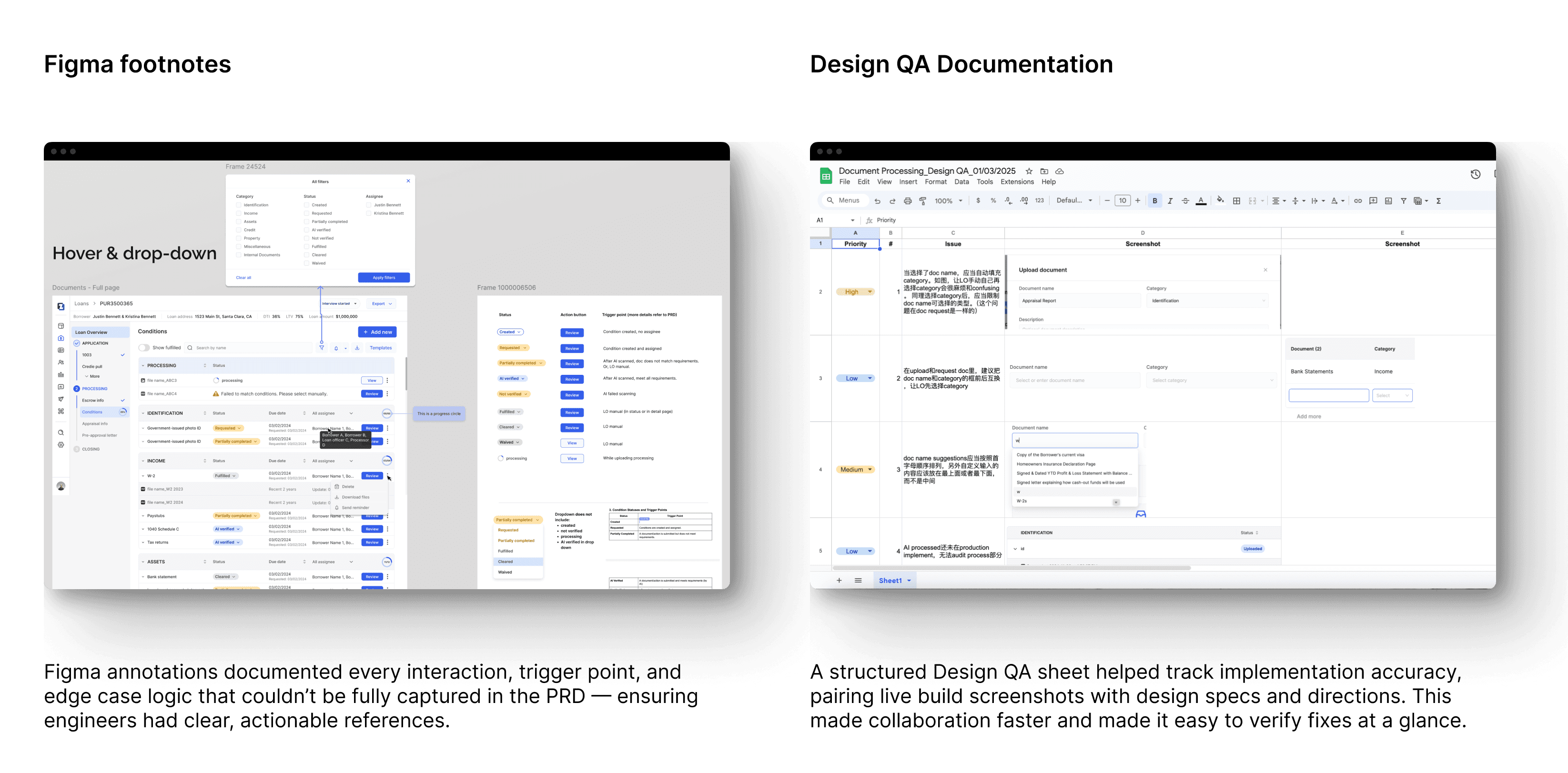
Working with junior engineers meant I spent as much time explaining consistency as I did pushing pixels. Every alignment, every color, every spacing mattered—not for aesthetics, but for trust. When Loan Officers opened the tool, they weren’t just looking at screens, they were deciding if this platform deserved their workflow. Pixel-perfect wasn’t decoration; it was credibility.